Skip to content

Your unlimited cloud gallery

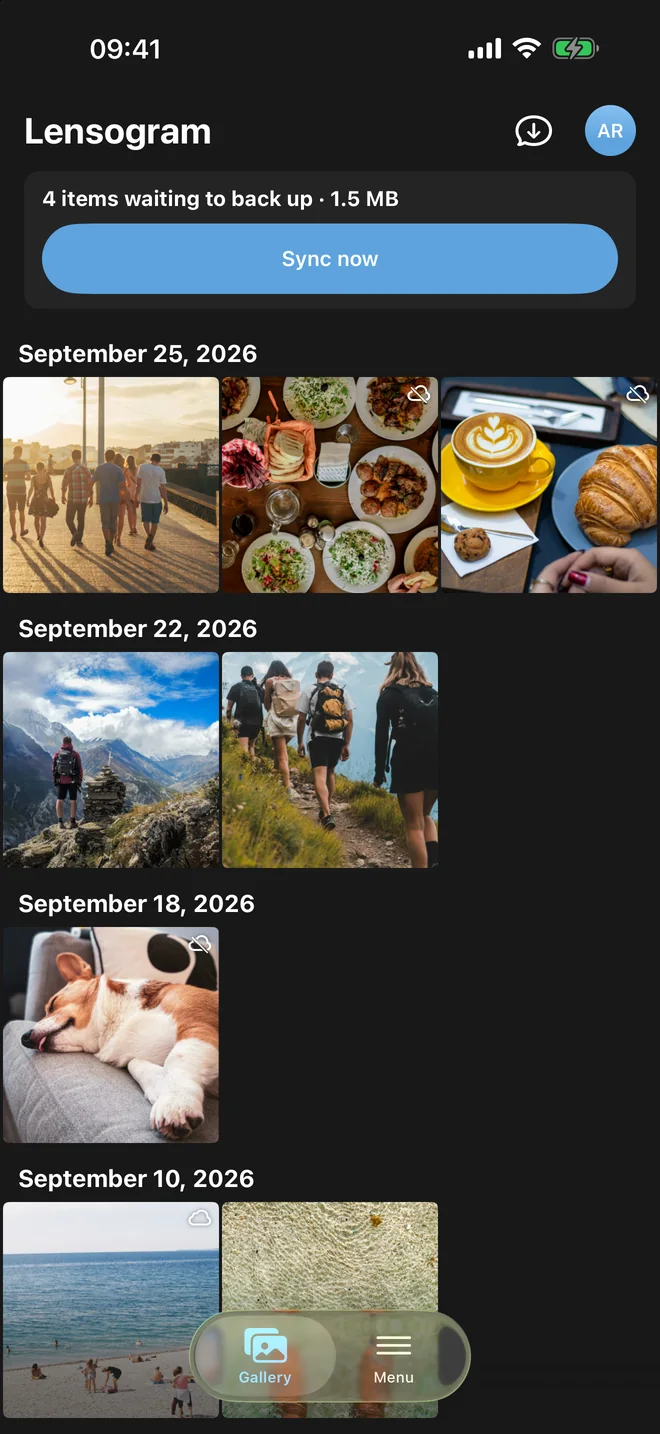
Lensogram backs up your photos and videos to a private channel in your own Telegram account, so there is no storage to buy.

Get it on Google Play
The Lensogram gallery on an iPhone, with four photos waiting to back up
Lensogram StoragePrivate channel
2026-09-22IMG_20411_1630.jpg
2026-09-25IMG_20000_1841.jpg09:41

Three steps, once.

  1. Your phone number

    +1 555 0142
    Send code

    Sign in with Telegram

    Lensogram works with the Telegram account you already have.

  2. Lensogram StoragePrivate channel

    Get a channel of your own

    The app creates a private channel, Lensogram Storage, owned by your account.

  3. Albums to sync

    • Camera2,481Backed up
    • Travel612Backed up
    • Food214Not backed up
    • Downloads312Not backed up

    Pick what goes up

    Tick the albums to back up. From then on, new photos and videos go up on their own.

It feels like your gallery. It works like a backup.

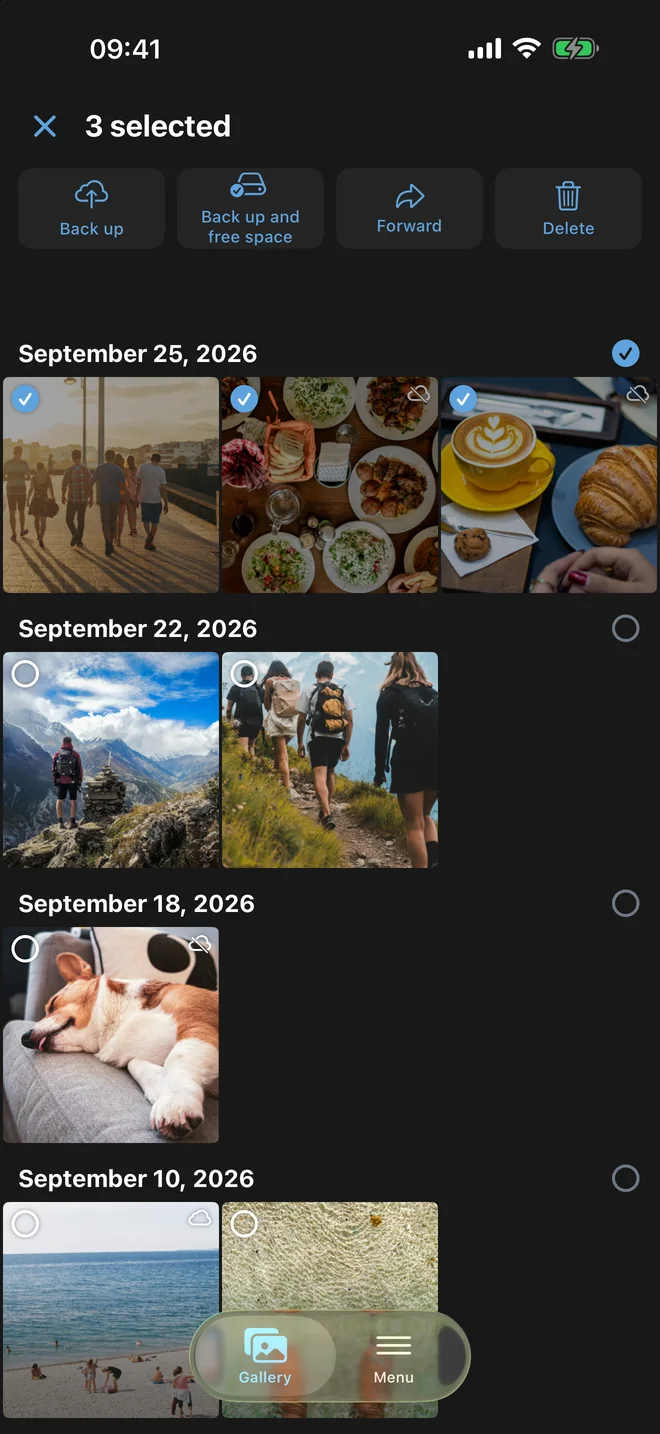
Three photos selected, with Back up, Back up and free space, Forward and Delete above them

Back up and free space in one tap.

Send photos to your channel, or send them and free the space in one step. They stay in your gallery and open from the cloud.
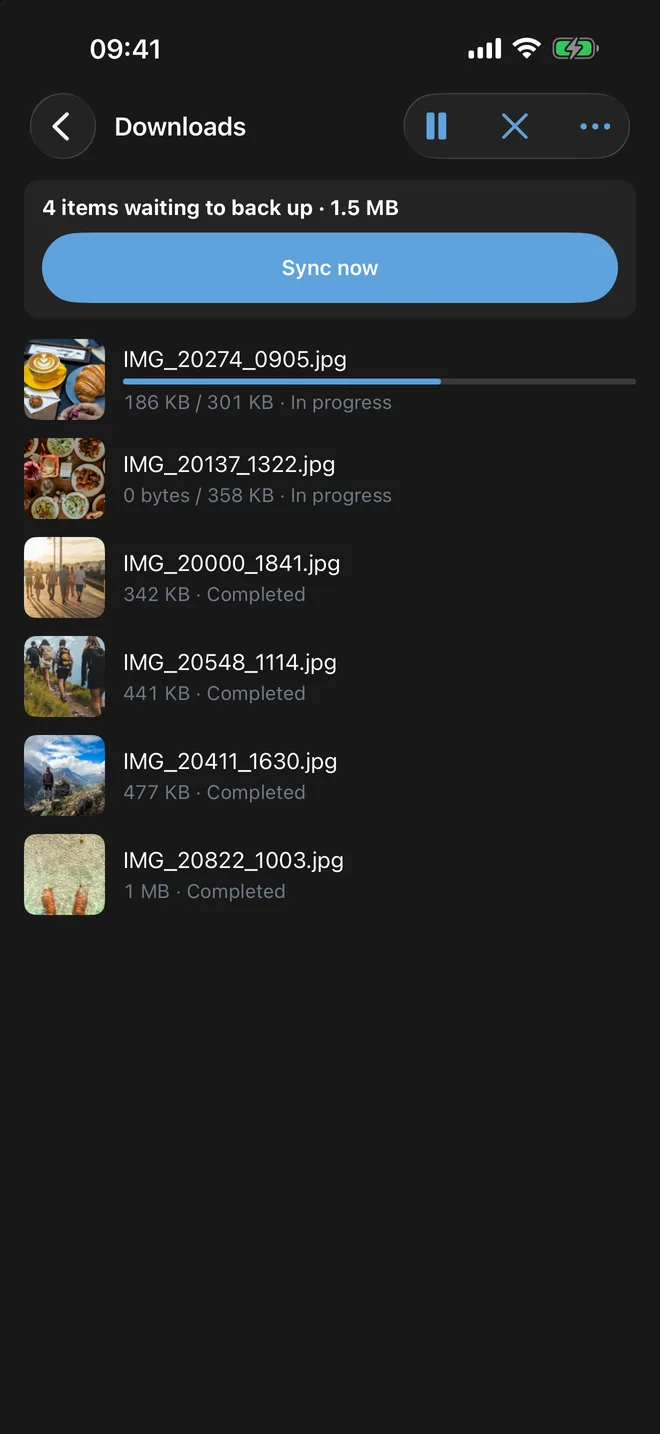
The transfers screen with two photos uploading and four finished

It keeps going when you leave.

Uploads carry on in the background, and you can pause or cancel them at any time. Backups can wait for Wi-Fi.
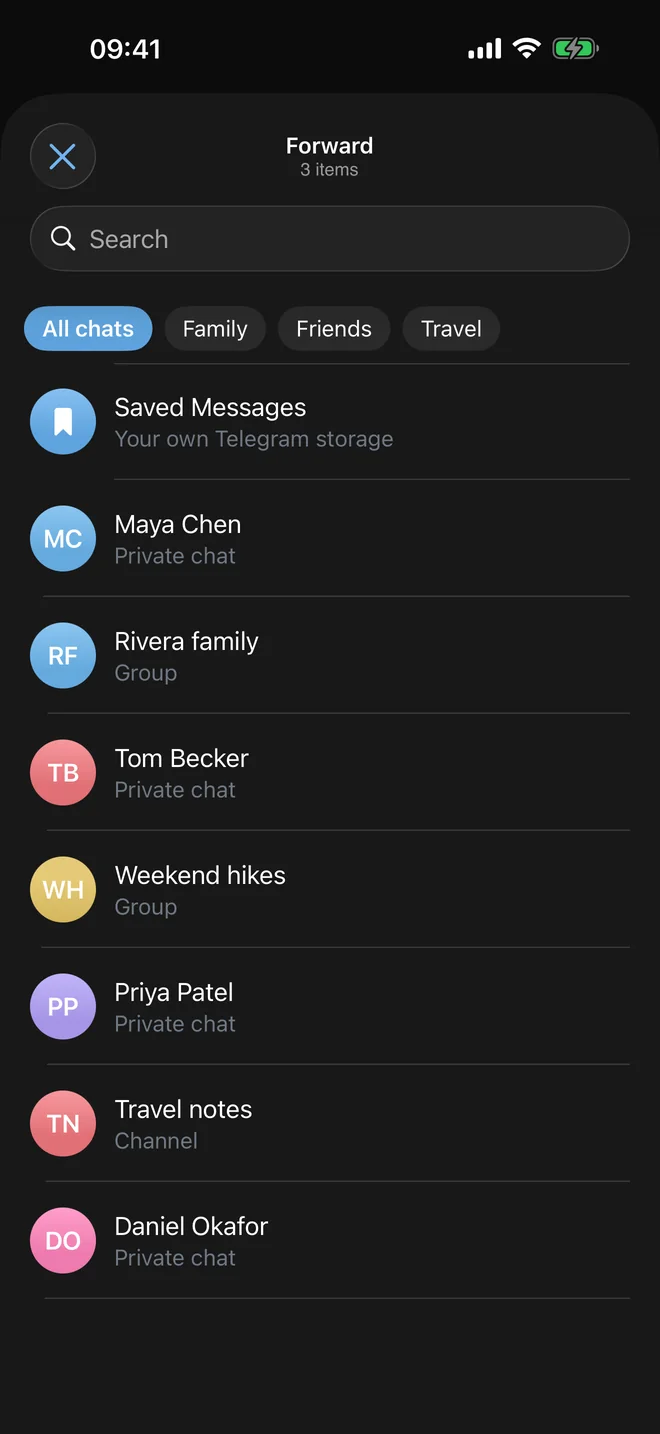
Forwarding three photos, with a list of chats to choose from

Telegram, built in.

Forward photos to any chat straight from the gallery, and save the ones people send you into it.

Made for real libraries.

  • Original, HD or compressed

    Original keeps the exact file with its metadata. HD and compressed save space and show previews in Telegram.

  • Back on the phone any time

    Any photo in the channel comes back to the phone exactly as it was sent.

  • Nothing lost on reinstall

    Sign in again, and everything already in the channel is recognised, not uploaded twice.

  • Two gigabytes a file

    Telegram's limit for one file, or four with Premium. The app puts no cap on the channel.

  • Look around first

    The gallery works before you sign in. Only backing up needs an account.

  • Three languages

    English, Русский and Українська.

Our server never sees your photos.

Your phone
Where a backup service would keep your photos
Your channel in Telegram
  • No account with us

    You sign in with Telegram. Your number and code never reach us.

  • Ads see none of it

    Your photos, videos and messages never reach the ad networks.

  • The channel is yours

    Delete it, and the backup is gone.

Read the privacy policy

Telegram is a separate company, and your files there are governed by its privacy policy.

Free for everyone. No ads, if you like.

Free

$0for good

  • Unlimited backup, automatic and by hand
  • Restoring, opening, sharing and freeing space
  • Every feature and every setting

One small ad in the gallery. Your first 14 days of Premium are free.

Lensogram Premium

  • No ads
  • Everything in Free
  • Monthly

    $0.99 a month

  • For good

    $14.99 once

Bought in the app through Google Play, which shows the price for your country.

Questions, answered.

Something else on your mind? Write to privacy@lensogram.app.

Is Lensogram made by Telegram?
No. It is an independent app that works with your Telegram account. It is not affiliated with or endorsed by Telegram.
Where are my photos kept?
In a private channel, Lensogram Storage, in your own Telegram account. Nobody else is in it.
What happens if I lose my phone?
Your backup is in Telegram, not on the phone. Sign in on the new one, and it is all there.
Is it really free?
Yes. Backing up, automatic or by hand, restoring and freeing space are free and unlimited. In return the gallery shows one small ad, and for your first 14 days you have Premium, free and without it.
How do I turn the ads off?
Get Lensogram Premium in the app, through Google Play: $0.99 a month, or $14.99 once for good.
Is there a desktop version?
Yes, for Windows 10 and 11. It shows the photos and videos in your channel and can copy them into a folder on your computer. The installer is not signed yet, so Windows may warn about an unknown publisher: click More info, then Run anyway.

Install it before the trip, not after the loss.

On a Windows computer, Lensogram keeps a folder in step with your channel.

Get it on Google Play
Download forWindows